Every window,
one hotkey away

Silip puts all your open windows into a searchable overlay you can pull up from anywhere. Hit a key, find your window, get back to work.

Get Silip for $5 One-time purchase. No subscription.
⌥ Option + ⇥ Tab
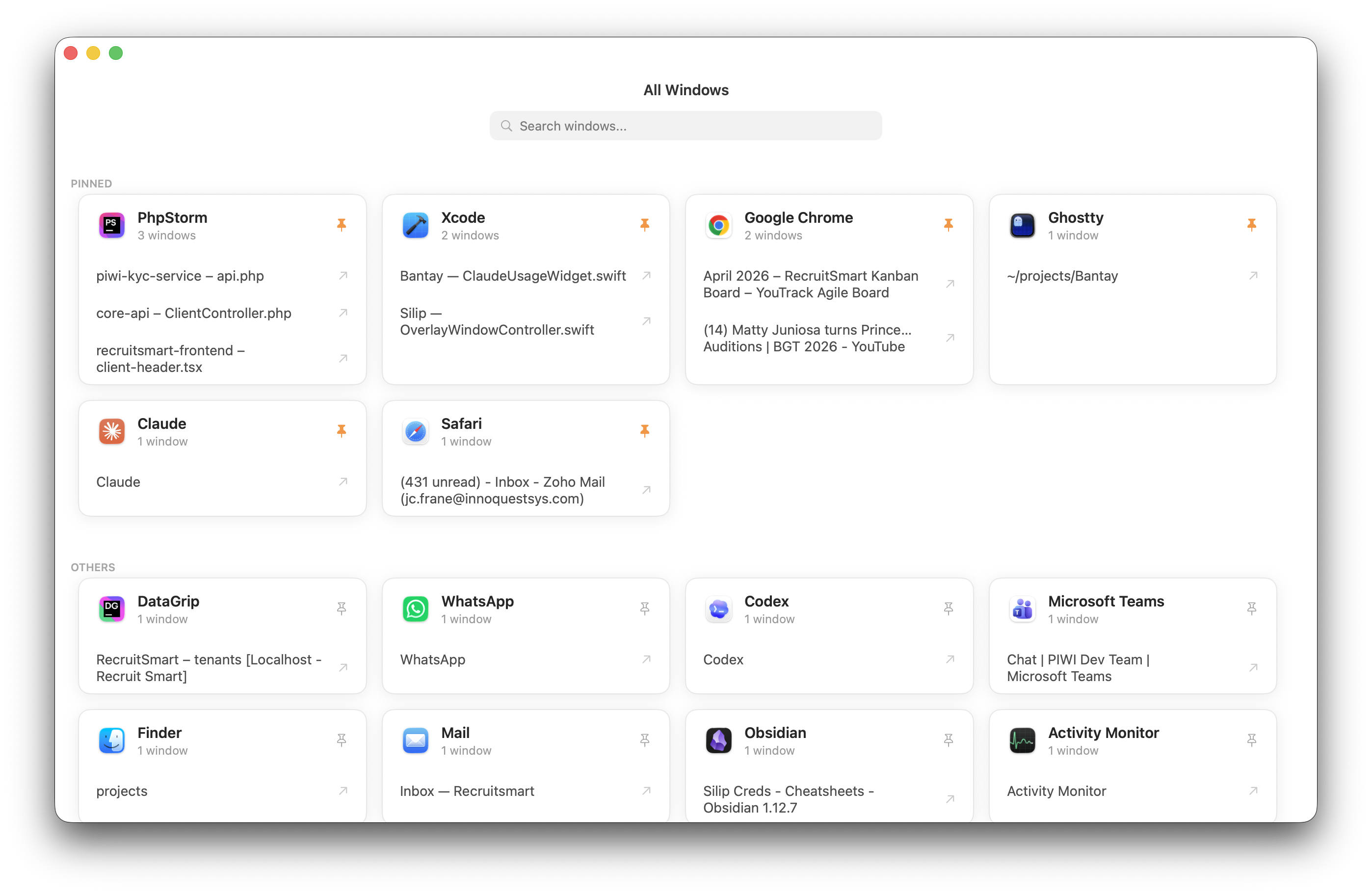
Silip showing all open windows in a grid

How it works

Three steps. Under a second.

1

Hit your hotkey

Press ⌥Tab from anywhere. Customize it to whatever you want.

2

Type to filter

Every open window shows up. Start typing to narrow it down by app or title.

3

Jump there

Arrow keys or click. Silip brings it forward and disappears.

Layouts

Pick your view

Two layouts for different workflows. Switch anytime from Preferences.

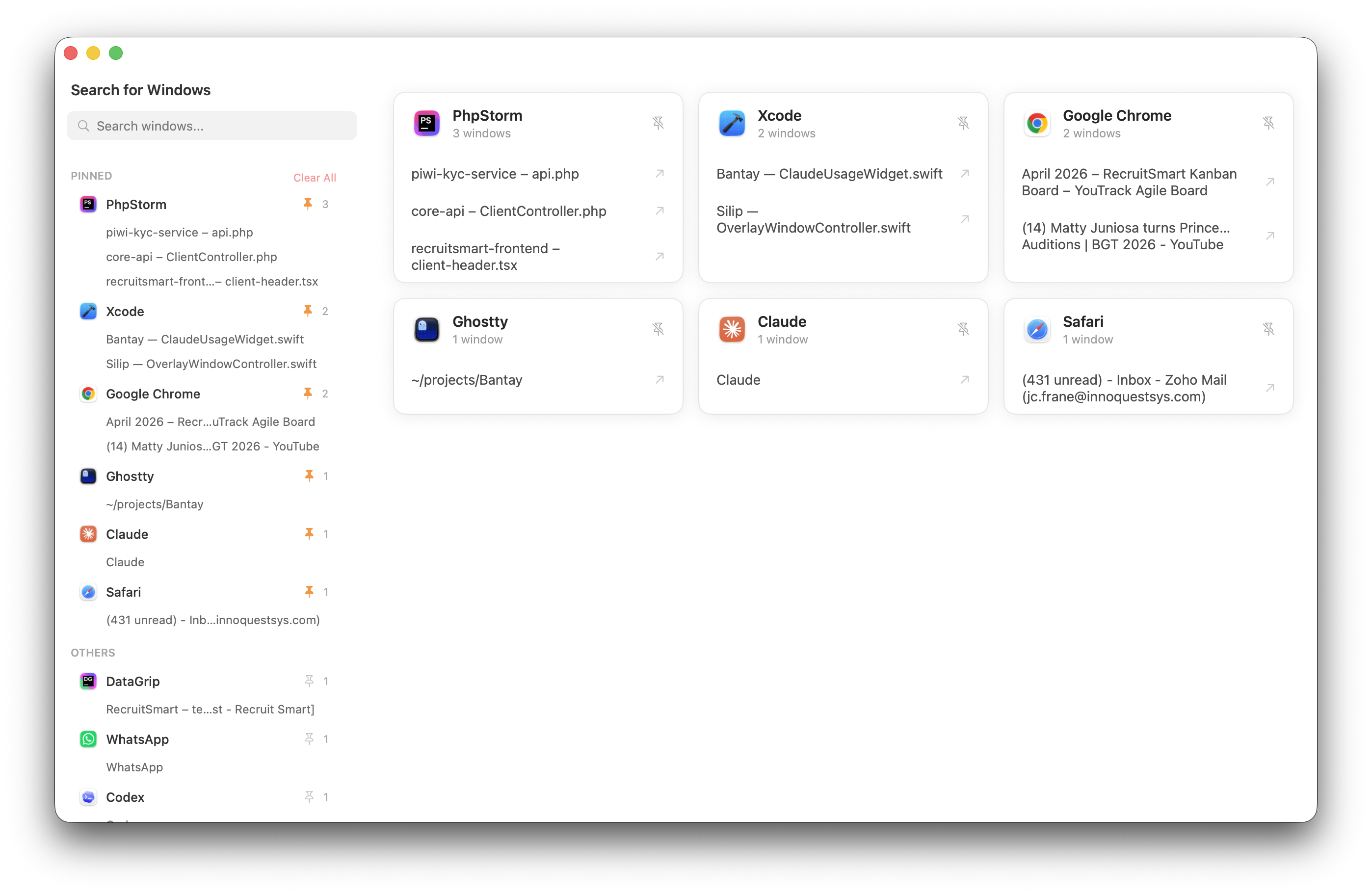
Sidebar layout — list on left, cards on right
Grid layout — windows arranged in cards

Compact app list on the left, window cards on the right. Great for keyboard-heavy workflows.

Features

Sharp tools, no bloat

HOTKEY

Global keyboard shortcut

Trigger from any app. Remap it to whatever combo works for you.

SEARCH

Instant fuzzy search

Filter by app name or window title as you type. Results update in real time.

LAYOUT

Grid + Sidebar modes

Visual overview or compact list — switch between them in one click.

PINS

Pin favorite apps

Keep your most-used apps at the top. Everything else groups below.

SIZE

Adjustable overlay

50%, 70%, 85%, or full screen. Pick whatever fits your display.

AUTO

Launch at login

Starts with macOS. Your hotkey is ready before you even think about it.

Menu Bar

Tucked away until you need it

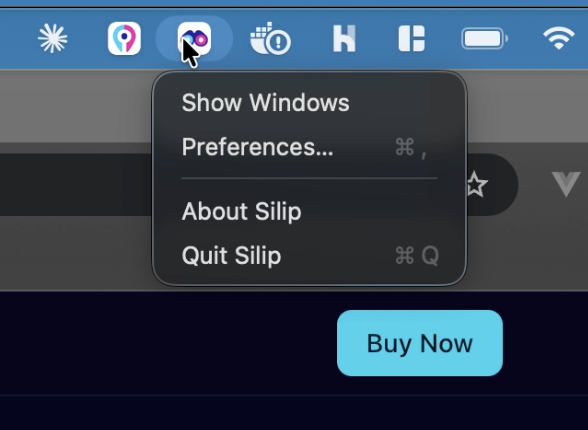
Silip lives in your menu bar. No dock icon, no clutter. Click the icon to show windows, open preferences, or quit. That's it.

Silip in the macOS menu bar
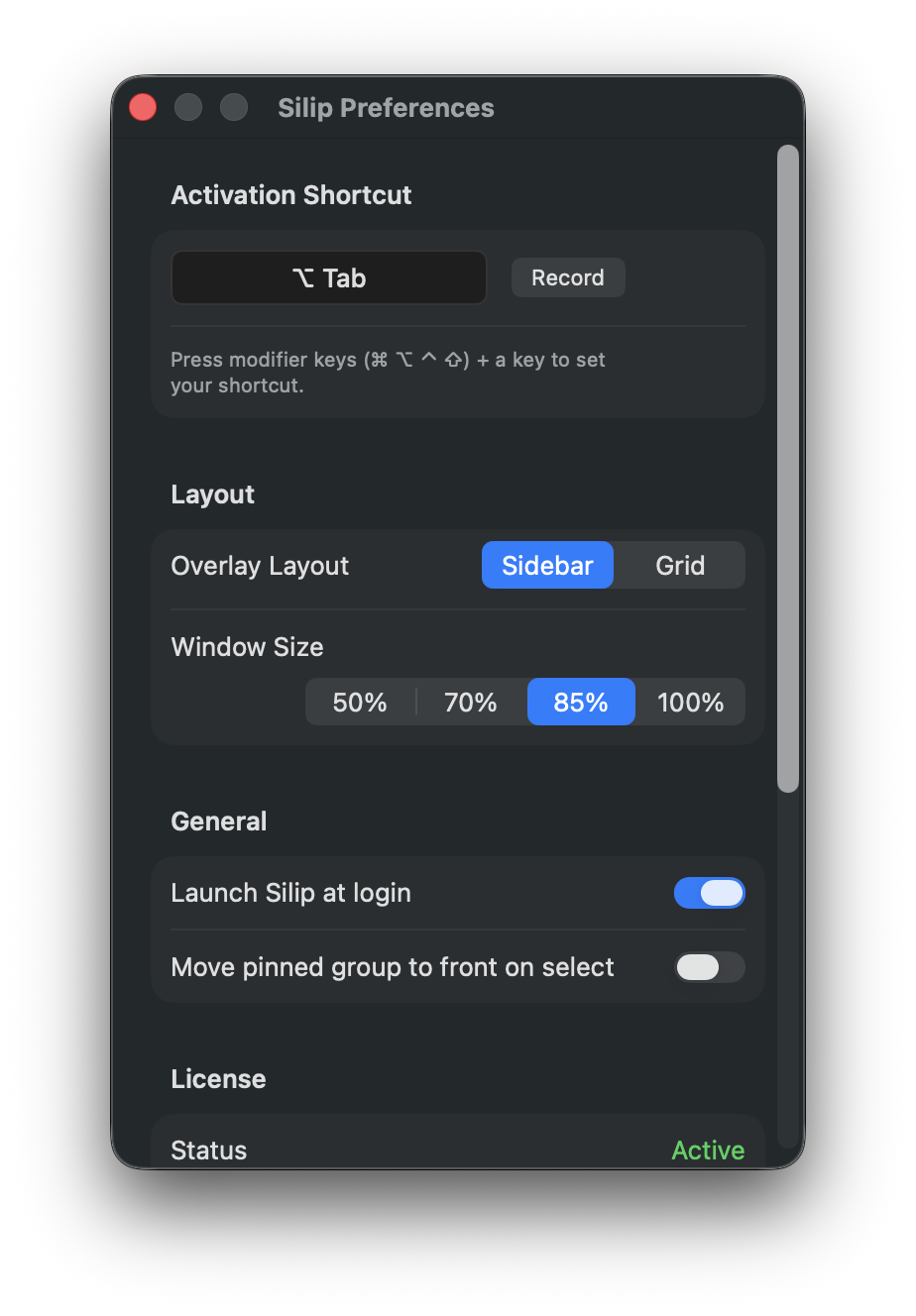
Silip preferences panel

Preferences

Your setup, your rules

Record a custom shortcut, pick your layout, set the overlay size, enable launch at login. Everything in one small panel.

Why I built this

Mission Control and Cmd-Tab weren't for me

I live in a dozen windows at once — editor, terminal, browser, Slack, notes, docs, a few stray Finders. Every day I was losing seconds hunting for the right one.

Cmd-Tab only shows apps, not windows. Mission Control throws everything on screen and makes me aim with a trackpad. Neither felt built for how I actually work.

So I built Silip. One hotkey, every window in front of me, jump straight to the one I want with a glance or an arrow key. Pin the apps I live in so they're always first — no hunting, no reshuffling. No tiling, no snapping, no new workflow to learn — just the fastest path from "where is it" to "there it is."

— JC, maker of Silip

Pricing

Silip
$5

One-time. Forever yours.

  • Lifetime license
  • 3 device activations
  • All future updates included
  • Email support
Buy Silip

14-day money-back guarantee via Lemon Squeezy.

FAQ

Common questions

Why does Silip need Screen Recording permission?
Screen Recording lets Silip capture live window thumbnails so you can visually identify each window. macOS requires this for any app that reads window contents. Silip never records, stores, or sends your screen data anywhere — previews are generated in memory and displayed locally.
Why does Silip need Accessibility permission?
Accessibility lets Silip list every open window, read their titles, and bring a selected window to the front. Without it, macOS blocks apps from interacting with windows owned by other applications.
How do I grant these permissions?
macOS will prompt you on first launch. You can also enable them manually in System Settings → Privacy & Security → Screen Recording and Accessibility. If things aren't working, toggle the permission off and on, then restart Silip.
Is my data safe?
Yes. Silip runs entirely on your Mac. No analytics, no telemetry, no network calls. Window previews live in memory and are never written to disk.
What macOS versions are supported?
macOS Ventura (13.0) or later. Both Apple Silicon and Intel Macs.

Requires macOS Ventura (13.0) or later · Apple Silicon & Intel · Screen Recording & Accessibility permissions